What actually decides whether your conference translation works
Most articles about choosing a real time translation for conferences app are ranked lists. This one is a testing protocol. By the end you'll have three numbers to demand from any vendor, one threshold to judge them against, and a plan for the sessions where machine translation alone isn't good enough.
Here's the short version. The thing your attendees notice is not accuracy — it's delay. And the thing vendors advertise is not delay — it's accuracy, measured in ways that can't be compared to each other. Closing that gap is most of the work of buying well.
Latency is the metric attendees feel — and the one to test first
The number that matters is first-chunk latency: how long after the speaker starts talking does translated audio or text begin? Not total processing time, not average throughput. One vendor benchmark writeup puts the practical thresholds clearly: below roughly 800 ms it feels live, and above about 2 seconds listeners start talking over the translation (Fora Soft). In a panel discussion or a Q&A, that second threshold is where the experience quietly falls apart — people answer questions that haven't finished translating.
Buying more delay barely buys you better output. At the operating points used for practical live translation, the quality/latency tradeoff runs at roughly 0.2 BLEU per additional second of latency. Waiting longer for more context produces marginal gains, so a vendor whose pipeline sits at 4 seconds isn't 4 seconds' worth of better — they're just slower.
For a reference point from research rather than marketing: in the IWSLT 2025 simultaneous speech-to-text translation shared task, a Whisper Large-v3-Turbo plus NLLB-3.3B pipeline scored BLEU 31.96 at 2.94 seconds of StreamLAAL latency. That task is worth knowing about because it's built on real conference material — unsegmented ACL conference talks — and it explicitly tests accented speech as a separate hard case. Researchers treat accents as a distinct problem. So should you, because your speakers have them.
Where the delay actually comes from
Speech recognition is no longer the bottleneck. ElevenLabs' Scribe v2 Realtime is reported at 93.5% accuracy on the FLEURS benchmark across 30 languages at under 150 ms latency, with predictive next-word transcription across 90+ languages and diarization for up to 32 speakers. If transcription can run in under a sixth of a second, then the seconds you experience at your event are coming from machine translation, text-to-speech, and the network path — not from the microphone.
That matters for procurement, because it tells you which questions are substantive. "What ASR engine do you use?" is nearly irrelevant. "What is your median first-chunk latency measured end to end, on a real conference audio feed, in the language pairs I need?" is the question. A browser-based approach with no plugin installs reports ~1.5 s median latency — inside the usable band, above the "feels live" band. That's an honest place for a live system to sit today.
Why every accuracy number you read contradicts the last one
You will encounter these figures, often on the same afternoon of research:
- Certified conference interpreters at 98–99% accuracy vs. state-of-the-art AI at 82–88% — a 10–17 point gap (published by vendor Palabra.ai)
- AI accuracy at 85–95%, explicitly conditional on audio quality, speaker delivery, dialect, and background noise (published by vendor LiveVoice.io)
- 93.5% on FLEURS (ElevenLabs, but that's transcription only — not translation)
These are not competing measurements of the same thing. They're different tasks, different benchmarks, different language sets, and in one case a different stage of the pipeline entirely. Boostlingo — itself a vendor — concedes that industry quality standards haven't caught up with adoption, which is why it ran its own accuracy study (Boostlingo). Treat any single accuracy percentage as a marketing artifact until someone shows you the methodology.
The peer-reviewed picture is more useful and more sober. A study led by Lingnan University analyzing UN speeches, published in Humanities and Social Sciences Communications, found that AI translates fluently but that professional interpreters are better at adapting language to context and preserving rhetorical and communicative effect. The authors conclude that human judgement and oversight remain essential in politically, diplomatically, and culturally sensitive settings. Not "AI is bad" — "AI renders words, humans render effect."
That framing shows up in the documented failure modes too. When a speaker's pronunciation is unclear and two words sound alike, AI can pick the wrong one and translate the mistake confidently, with no hesitation to signal doubt. A human interpreter self-corrects or asks for clarification. AI also works from the words alone, not from the way something is said — it doesn't decode emotion, doesn't redirect confusion, and doesn't manage two people talking at once (MultiLingual).
So the correct value proposition isn't "as good as a human." It's volume and cost: AI speech translation makes far more events multilingual than could ever be staffed with interpreters. That's a real, large benefit. State it that way and you'll set expectations your attendees can live with.
Conference-grade is a different product from travel translation
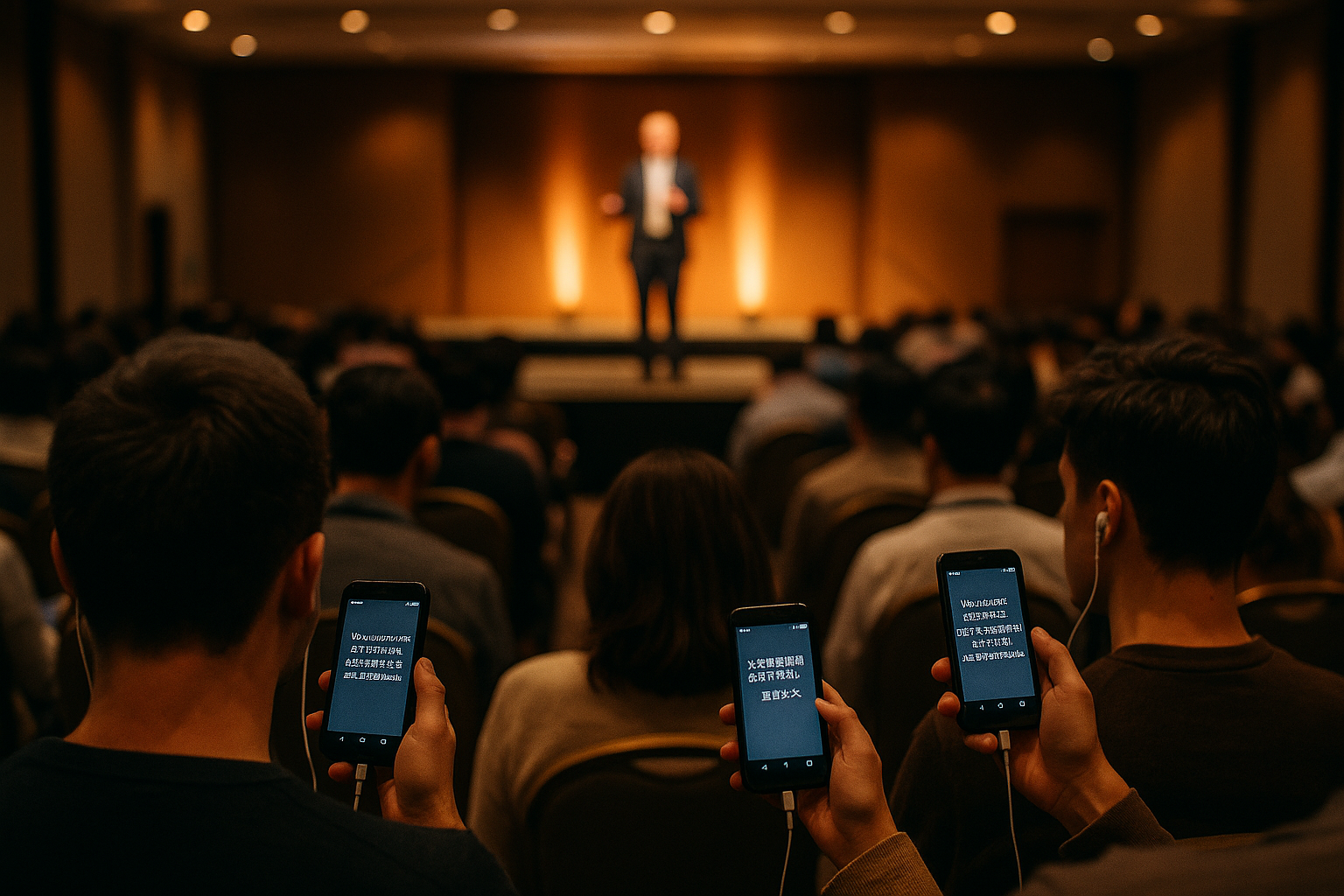
A one-to-one travel app translates a conversation. A conference app has to fan out one speaker's audio to hundreds or thousands of listeners simultaneously, in several languages at once, without any of them installing anything. Multiple sources warn that consumer travel apps don't hold up in professional environments — different problem, different architecture.
The reference architecture for multi-party events is a cascade: ASR → machine translation → text-to-speech, with optional human-interpreter fallback, scaling from around 100 participants to 22,000 across 4–8 simultaneous languages. The cited real-world example is VOLO.live at Black Hat USA 2025 with 22,000 participants. Note the phrase human-interpreter fallback — that's the pattern to copy, not a compromise.
Across the vendor roundups, buyers consistently converge on the same criteria: low latency without awkward pauses, accuracy that survives tone and context, 50+ languages, both voice and caption output, and compatibility with the meeting tools you already use (Maestra). Add one that rarely makes the lists: attendees joining by phone browser with no app-store download, because at a live event you cannot walk 400 people through an install.
The vendor landscape, briefly and honestly
For conference and webinar-scale interpretation, the names that recur are Wordly, Interprefy, KUDO, and Boostlingo, and the fork in the road is whether you want AI-only translation or human interpreters coordinated through a platform (Wordly). In 2026 enterprise procurement discussions, DeepL Voice, KUDO, Interprefy, and Meta's SeamlessM4T are named as leading systems.
One buyer-beware note from that same benchmark writeup: KUDO and Interprefy are described as publishing marketing-tier claims without methodology. Use it as a standard, not a smear — ask every vendor, including the one you're leaning toward, for a latency figure with the test conditions attached.
Also check what you already own. Microsoft Teams Live Translated Captions is available to Teams Premium/E5 customers as roughly a $10/user/month add-on, covering about 40 spoken languages into around 100 caption languages, and DeepL Voice for Meetings offers enterprise real-time captions for Zoom with Teams integration (LiveLingo). Confirm current pricing on Microsoft's own page before you budget. And no, a general assistant chatbot is not a substitute — text in, text out means it cannot listen to a live room.
A pre-event test protocol you can run in 40 minutes
Don't evaluate on a demo call with clean audio and a scripted speaker. Recreate your worst session.
- Feed it real room audio. Use the same lavalier or handheld mic and the same board feed you'll use on the day. Input audio quality is one of the explicit conditions vendors attach to their accuracy claims.
- Use your accented speakers. If a keynote is delivered in accented English, test that voice specifically. Researchers isolate accented speech as its own challenge; your pilot should too.
- Time the first chunk with a stopwatch. Speak, and count until translated audio or the first caption appears. Compare against 800 ms and 2 seconds. Repeat during a fast Q&A exchange.
- Build a terminology list. Proper nouns, ministry names, program acronyms, drug or policy terms. Check how each are handled, and how you can correct them in advance.
- Test attendee onboarding. Time how long it takes an unassisted person to get audio on their own phone. If it's more than a minute, you'll lose the back rows.
- Read the data terms. For NGOs handling sensitive testimony, ask directly about retention and confidentiality before the audio ever leaves the room.
The practical output of this test is a session-by-session decision. AI live interpretation for plenaries, breakouts, training tracks, and anything where broad comprehension is the goal. Human interpreters — or AI with a human on standby — for legally binding, diplomatically delicate, or emotionally heavy content, exactly where the Lingnan study says human oversight still matters.
If you want to see what phone-delivered live interpretation feels like in your own room, the fastest path is a rehearsal, not a sales call. TransLync lets you try 30 free minutes of live translation with your own mic, your own speakers, and your own accents — which is the only test that predicts your event. Organizers running bilingual sessions often start with a single language pair, like conference translation in Spanish, before scaling up. For recurring weekly services rather than annual events, the setup differs enough that it's worth reading a practical church translation setup guide, and NGO trainers can start from NGO training translation in Spanish.
The honest summary
A real time translation for conferences app in 2026 will give you fluent, fast, broadly accurate translation into many languages at a cost that makes multilingual events possible at all. It will not read the room, catch its own mistakes, or preserve the rhetorical force of a closing keynote.
Buy on measured first-chunk latency in your language pairs, ignore uncontextualized accuracy percentages, test with your real audio chain, and reserve human interpreters for the sessions where getting the meaning exactly right matters more than covering every language. That's a defensible plan, and it's one you can execute before your next event.
Frequently Asked Questions
What latency should I accept from a conference translation app?
Measure first-chunk latency — the delay before translated audio or the first caption appears. Under about 800 ms feels live; past roughly 2 seconds, listeners start talking over the translation, which is especially damaging in panels and Q&A. Many practical browser-based systems land near 1.5 seconds, which is workable. Waiting longer buys very little quality, since the tradeoff runs at only about 0.2 BLEU per extra second.
Is AI translation accurate enough to replace human interpreters at a conference?
For most sessions, it's accurate enough for comprehension; for sensitive ones, it isn't a replacement. A Lingnan University-led study in Humanities and Social Sciences Communications found AI translates fluently but that professional interpreters better preserve context and rhetorical effect, concluding human oversight remains essential in politically, diplomatically, and culturally sensitive settings. AI also fails silently — it can mistranslate an unclear word confidently, where a human would self-correct.
Why do published AI translation accuracy numbers vary so much?
Because they measure different things. One vendor cites 82–88% for AI vs. 98–99% for certified interpreters; another cites 85–95% conditional on audio quality and dialect; a 93.5% FLEURS figure refers to transcription only, not translation. There's no shared standard — Boostlingo itself notes industry quality standards haven't caught up with adoption. Always ask for the test methodology behind any percentage.
Can I just use a travel translation app for my conference?
No. Travel apps handle one-to-one conversation; a conference needs one speaker's audio fanned out to hundreds or thousands of listeners in several languages at once, with no install on attendee devices. Multiple industry sources warn that consumer travel apps don't hold up in professional environments. Look for tools built to deliver both interpreted audio and captions at audience scale.
What should I test before committing to a conference translation vendor?
Run a rehearsal with your actual mic and mixer feed, your accented speakers, and a fast Q&A exchange. Time the first chunk with a stopwatch, load your proper nouns and acronyms as a terminology list, time how long an unassisted attendee takes to get audio on their phone, and read the data-retention terms if your content is sensitive. Clean scripted demos tell you nothing about event day.
Sources
- Best Real Time Translation Apps for Meetings, Events, and Conversations (2026)
- 15 Best AI Live Translation Tools That We Tried in 2026
- Best Real Time Translation App 2025: 7 Reasons Transync AI Leads Global Communication
- Best Translator Apps for Business Meetings: 2026 Guide
- 10 Best Real-Time Translators for Meetings
- AI Live Translation Platform for Conferences and Calls – Stenomatic.ai
- Conference Translation | Powered by Wordly AI
- AI Translation & Captions for Meetings and Events | Wordly