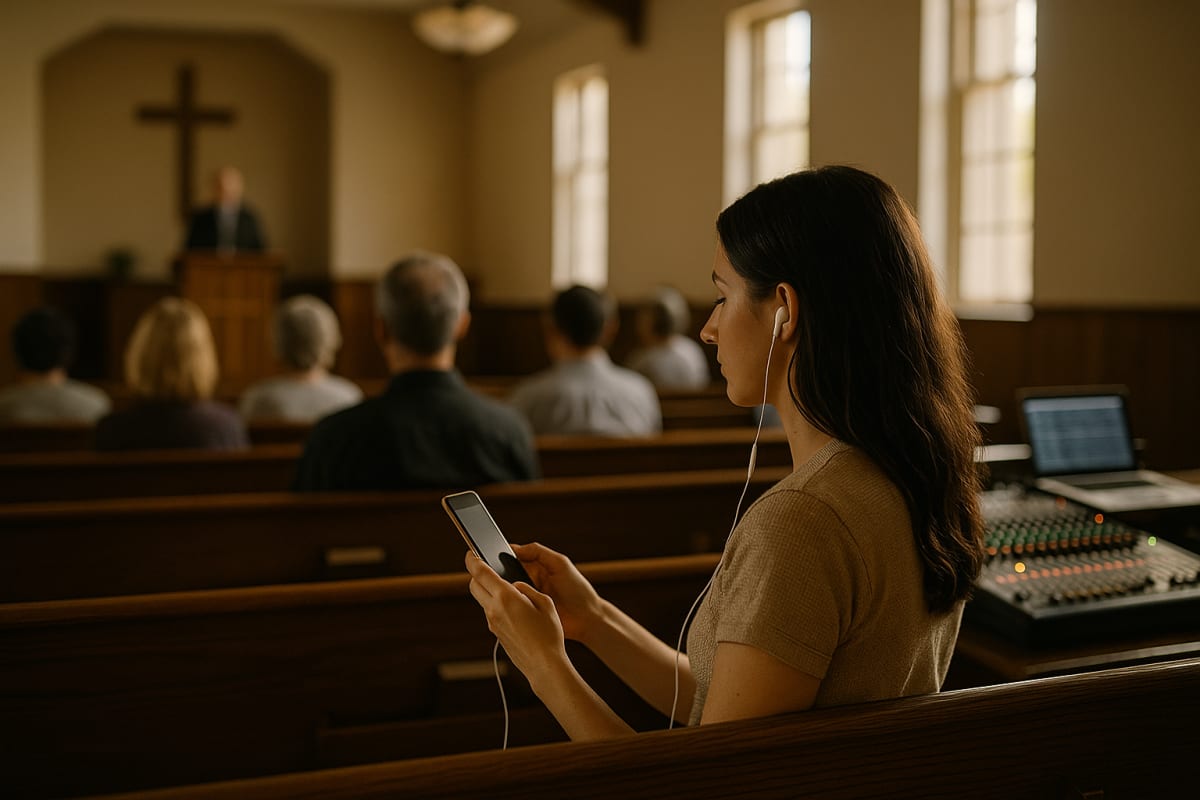
Church translation is decided at 10:47 on Sunday, not in the demo
Every church translation setup looks fine in a Tuesday demo. The real test is 10:47 on Sunday: the worship set ran four minutes long, the guest preacher swapped his outline, three Ukrainian families walked in late, and the volunteer who normally runs the laptop is on a hospital visit.
This guide is written for that moment. It covers the four ways churches actually deliver another language, how to wire the audio so the words arriving are the words being said, what to put in a glossary so "Ephesians" doesn't become "a fees ians," and a pre-service checklist short enough that a new volunteer can run it alone. It also names the honest tradeoffs — including where a human interpreter still beats anything automated.
Four models, and how to tell which one is yours
Most churches drift into a model by accident. Choosing on purpose saves years of frustration. We've compared these in more depth in five bilingual church models, honestly compared — here is the short version.
- Consecutive from the platform. The preacher speaks a sentence, an interpreter repeats it. Zero technology, and it visibly honors both languages. It also roughly doubles sermon length and locks the whole room into two languages, no more.
- Simultaneous human interpretation. An interpreter works from a back room or a booth into a transmitter; listeners use receivers or their own phones. The highest quality available, and the highest ongoing cost and scheduling risk.
- AI live interpretation to phones. The sermon audio is transcribed and translated in near real time and delivered as captions or synthetic speech to each attendee's own device. This is the category most vendors now market directly to churches, including Wordly, spf.io, LiveVoice, Boostlingo, Maestra and OneAccord.
- Separate services per language. Sometimes the right answer. It ends the technical problem entirely and creates two congregations that rarely meet.
A rule of thumb: if you need one additional language and you have a reliable, qualified volunteer, human simultaneous is hard to beat. If you need three or more languages, or your second-language attendance fluctuates week to week, phone-delivered live interpretation is the only model that scales without new hires.
Mixed models are normal
Plenty of churches run a human interpreter for Spanish because half the congregation depends on it, and AI channels for Portuguese, Farsi and Tagalog because two to six people need each. Nothing about that is a compromise — it just matches effort to need. Providers such as Interprenet build their church offering around exactly this blend of human and automated interpretation.
The audio chain is the whole ballgame
Nine out of ten "the translation is bad" complaints are actually "the input was bad." Speech recognition can only translate what it receives cleanly.
- Take a direct feed from the mixer, not a room mic. An aux send, a matrix out, or a USB channel from the desk. A laptop mic in the fourth row picks up the HVAC, the toddler, and the room reverb — and reverb wrecks recognition faster than accents do.
- Send the pulpit mic, not the full mix. Worship music, video beds and congregational singing are noise as far as the system is concerned. Build a dedicated mix-minus that carries speech only.
- Gate and compress lightly. Consistent level matters more than pristine tone. A gate that closes between sentences prevents pages of hallucinated text during silence.
- Give guest speakers a headset or lavalier. Handheld mics wander. A speaker who paces away from a lectern mic will produce a translation full of gaps that looks like a software failure.
- Test on the actual network you'll use. Phone-delivered audio needs working Wi-Fi or cell coverage in the pews. Walk the back corners and the balcony before you announce the service.
If your building has one weak spot, fix the mic feed first. The step-by-step version lives in our church translation app setup guide.
Build a glossary before your second service
Church language is a specialist vocabulary, and it is the part generic tools get wrong. Fifteen minutes of preparation removes most of the errors people notice.
Add, in this order:
- Names of people in your church — staff, elders, the person being prayed for. Mispronounced or mistranslated names sting more than theological slips.
- Your church's own proper nouns — the building name, the ministries, the giving platform, the annual event.
- Bible book names and unusual spellings — Habakkuk, Colossians, Thessalonians, and any transliterations your congregation prefers.
- Theological terms with a fixed rendering in your target languages — grace, covenant, sanctification. Ask a bilingual member which word your community actually uses, not which one a dictionary prefers.
- Recurring idioms your preacher loves. If someone says "unpack that" every week, decide once how it should land.
Keep the list in a shared doc, and let whoever runs the desk add a line whenever they hear an error. After about six weeks the glossary stops growing and quietly does its job.
A Sunday checklist a new volunteer can run
Print this and tape it to the tech desk.
That's the whole job. If your process needs more than one page, something upstream is too complicated.
Honest tradeoffs nobody puts on a pricing page
Where AI live interpretation wins: cost per language, unlimited language count, instant setup for a guest speaker or a funeral announced on Thursday, and no dependency on one exhausted volunteer. Attendees use their own phones, so there is no receiver inventory to charge, sanitize and lose.
Where human interpreters still win: emotional register, humor, prayer, altar calls, and anything where a pause carries meaning. A machine renders sentences; an interpreter reads a room. For high-stakes moments — a memorial, a baptism testimony, a congregational vote — book a person.
Where both struggle: overlapping speakers, unamplified voices from the floor, heavy code-switching mid-sentence, and worship lyrics. Plan those separately. Project song translations on screen instead of pushing them through the interpretation channel.
The cultural tradeoff. Handing everyone a phone can quietly separate people. Counter it deliberately: greet in both languages from the platform, print bulletins in both, and make sure second-language members serve visibly, not just listen. Our notes on what actually works on Sunday go further on this.
How to start without a committee
Pick one language and one service. Tell the eight or ten people who need it by name — a general announcement recruits nobody. Run it for four consecutive weeks with the same volunteer, keep the glossary open on the desk, and ask those attendees one question afterward: what did you miss?
Four weeks in, you'll know whether you have a technology problem, an audio problem, or a hospitality problem. Most churches discover it's the third one, and that's good news, because it's the cheapest to fix.
If you want to see how phone-delivered church service translation feels in your own room, TransLync for churches lets you try 30 free minutes of live translation — enough for one sermon and an honest verdict from the people it's for.
Frequently Asked Questions
How much does church translation cost?
It depends on the model, not the vendor. Human simultaneous interpretation costs per interpreter per service, plus receivers if you don't use phones. Automated live interpretation is typically billed by the minute or by seat, so a 35-minute sermon in four languages costs far less than four interpreters. Compare providers directly — most church-focused vendors publish or quote on request. Start with a free trial and measure real usage for a month before committing.
Do attendees need to download an app?
With phone-delivered systems, usually they open a link or scan a QR code in a browser and pick their language — no install, no account. That matters more than it sounds: a required download loses roughly the visitors you most wanted to reach. Whatever you choose, put the QR code somewhere a latecomer can find it without asking, and keep a few loaner earbuds at the welcome desk.
Is AI translation accurate enough for preaching?
For explanatory content — teaching, announcements, structured sermons — it is generally good enough that listeners follow the argument, especially once you've loaded a glossary of names and theological terms. It is weakest on humor, idiom, poetry and emotionally loaded moments. Many churches use it for the bulk of the service and schedule a human interpreter for memorials, baptisms and other high-stakes gatherings.
What's the single biggest mistake churches make?
Feeding the system a room microphone instead of a direct feed from the mixing desk. Reverb and background noise degrade recognition badly, and the resulting errors get blamed on the software. Send a clean, speech-only mix from an aux or matrix out and most complaints disappear before you change anything else.
Can the same setup work for a conference or a special event?
Yes, and the constraints are similar: clean mic feeds, a glossary of speaker and organization names, and reliable network coverage in the seats. Multi-day events add speaker turnover and stricter session schedules, so build in a five-minute audio check between sessions rather than trusting the morning's test to hold all day.
Sources
- Live AI Translation Services for Churches | Boostlingo
- Church Translation System - Live Sermon Translation
- LiveVoice: Live translation for churches
- Church Translation | Powered by Wordly
- Church Translation - Live AI Translation for Churches | OneAccord
- Make church translation and accessibility easy - spf.io
- Church Translation System | Language Services for Churches | Interprenet
- Live Translation for Churches, Live Audioübertragung für Kirchen. Best Price.